 Punchlee
Free punch list template (printable PDF)
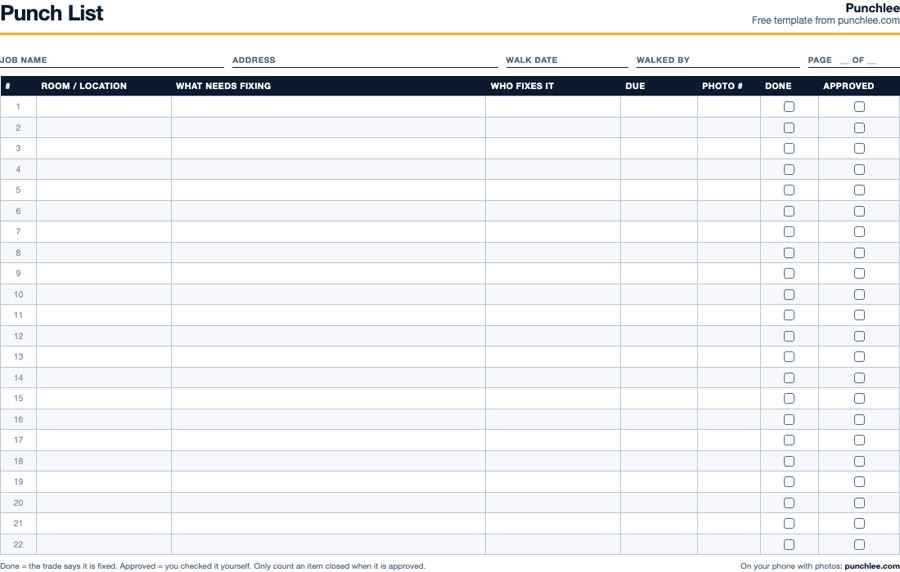
One page, 22 lines, made for a clipboard on a real job site. Free, no email needed.
Download the punch list template (PDF)
What is on the template
| Column | What to write |
|---|---|
| Room / location | Where the item is, as the trade would say it: "Kitchen, sink base", "Bath 2, vanity", "Apt 4B, hallway". |
| What needs fixing | One problem per line, written as an action: "Adjust left pantry door, rubs frame". Not "door issue". |
| Who fixes it | One name or one trade. If two trades share an item, split it into two lines. |
| Due | A real date. Items with no date slide to the end of the job. |
| Photo # | The number of the photo on your phone, so you can match paper to picture later. |
| Done | Ticked when the trade says it is fixed. |
| Approved | Ticked only when you have looked at it yourself. This is the column that closes the item. |
How to walk a job with it
- Walk in one direction. Start at the entry and work clockwise room by room, top to bottom: ceiling, walls, trim, fixtures, floor. You miss less when the route is the same every time.
- Tape and photo every item. A small piece of blue painter's tape on the spot and a photo on your phone. Write the photo number in the "Photo #" column.
- One problem per line. "Paint touch up and fix the outlet cover" is two lines and probably two trades.
- Assign before you leave the room. If you do not know who fixes it, you will not know tomorrow either.
- Hand out copies the same day. A photo of the page in the group chat works. A list nobody has seen does not get done.
- Re-walk and approve. Tick "approved" only after you see it yourself, then pull the tape.
When paper stops working
Paper is fine for one small job. It starts to hurt when the list gets past a page, when three trades need different parts of it, when the photo numbers do not match anymore, or when the owner asks for an update and you have to retype everything.
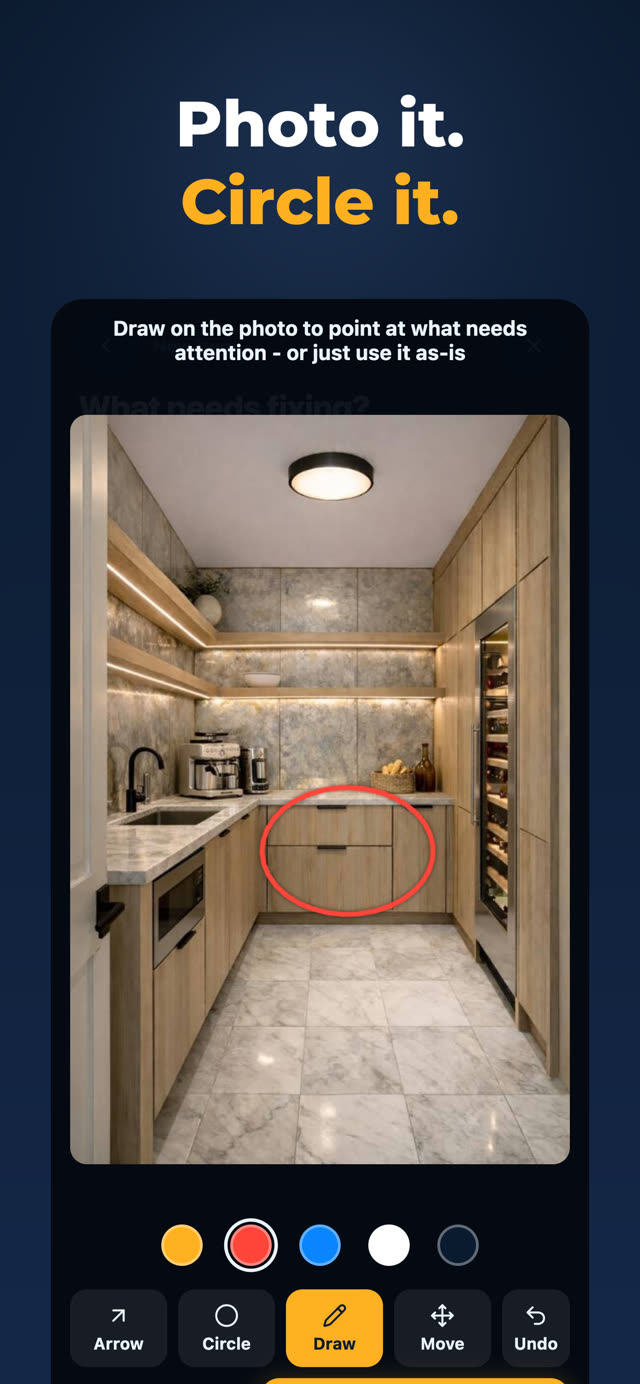
That is what Punchlee is for. Every line is a photo with the problem circled on it. Each trade only sees their own items and gets them in their own language. They mark an item done with an after photo, you approve it with one tap, and the owner gets a PDF report with photos when you want to send one.
Do it on your phone instead
Punchlee turns every item into a photo your crew can act on. Photo it, circle it, pick who fixes it. They mark it done with their own photo and you approve it from anywhere. Your crew gets the app free, and everyone reads the list in their own language.